
Once you get used to working with two monitors at your desk, dropping down to a single 13- or 14-inch laptop screen at a hotel, client site, or dining table feels like working through a keyhole.
Fortunately, a slim USB-C portable monitor slips right into the laptop sleeve of your backpack and gives you an instant dual-screen workstation powered by a single cable.
Still, finding the best portable monitors for laptops in 2026 means looking past suspiciously cheap listings with dim 200-nit panels and flimsy origami covers that collapse every time you bump the table.
Do you need a 16-inch 16:10 productivity screen with a built-in kickstand, a color-accurate OLED panel for photo editing, or an affordable 1080p travel screen under ₹9,999?
To help you choose, we’ve researched seven dependable portable monitors across budget, business, and creative tiers. We evaluated panel brightness, aspect ratio, kickstand stability, USB-C pass-through charging, weight, and Mac/Windows compatibility.
Our top overall recommendation is the Lenovo ThinkVision M14t Gen 2 / M14d series for its rock-solid integrated hinge base, reversible left/right USB-C ports, and crisp anti-glare panel. Below, we also cover top picks from ASUS, ViewSonic, LG, and Arzopa.
Let’s explore the 7 best portable monitors for laptops in 2026.
Quick Comparison: 7 Best Portable Monitors for Laptops of 2026
| Portable Monitor | Best For | Key Feature |
|---|---|---|
| LG Gram +View 16″ | Best Overall | 16-inch 2560×1600 (16:10) IPS anti-glare panel weighing just 1.48 lbs |
| ASUS ZenScreen 16″ | Best Reliable Workhorse | Anti-glare 1080p IPS display, single-cable USB-C connectivity, and tripod socket |
| Lenovo ThinkVision M14d | Best Built-In Stand | 14-inch 2240×1400 (16:10) panel, L-shaped tilt/height base, and 1.32 lb weight |
| ViewSonic VP16-OLED | Best OLED for Creators | 1080p Pantone-Validated OLED panel, 400 nits, 100% DCI-P3, and ergonomic height stand |
| Arzopa Z1FC 16.1″ 144Hz | Best Budget & Gaming | 16.1-inch 1080p 144Hz IPS screen with integrated fold-out kickstand under ₹10,999 |
| ViewSonic VX1655-4K-OLED | Best 4K Ultra HD | 3840×2160 (4K UHD) OLED panel, built-in aluminum kickstand, and 60W pass-through |
| InnoView 18.5″ Large | Best Large Screen | Expansive 18.5-inch 100Hz IPS screen with 180-degree kickstand and VESA mount holes |
These are category-based editorial recommendations, not results from a single comparative laboratory test. Specifications are based on manufacturer information; we have not independently tested every portable monitor.
1. LG Gram +View 16-Inch WQXGA Portable Monitor (16MR70) – Best Overall Portable Monitor for Laptop Productivity
Best for: Remote workers and business travelers who want a roomy, sharp 16:10 second screen that matches modern laptop proportions.
Many portable monitors still use cramped 15.6-inch 1080p (16:9) panels with thick bottom chins. The LG Gram +View steps up to a spacious 16-inch 2560×1600 (16:10) resolution in a featherweight 1.48-pound chassis.
That taller 16:10 aspect ratio shows significantly more vertical rows in Excel spreadsheets, Word documents, and web browsers without scrolling.
Key Features
The monitor features an anti-glare IPS panel covering 99% of the DCI-P3 color gamut at 350 nits of brightness.
Dual USB-C ports (one on each side) support simultaneous video input and up to 45W pass-through laptop charging.
When paired with the LG Switch app, it supports auto-rotation for vertical portrait coding or document reading, and comes with a magnetic folio cover.
Why It’s Worth Considering
Having USB-C ports on both the left and right edges is a huge ergonomic win—you can place the monitor on either side of your laptop without stretching a cable across the back.
At 2560×1600 resolution, text looks razor-sharp next to a MacBook or high-DPI Windows ultrabook.
Keep in mind that the Gram +View is strictly USB-C (it does not include a Mini-HDMI port or built-in speakers), which keeps the housing remarkably thin and light.
✓ Pros
- Sharp 2560×1600 resolution in a tall 16:10 productivity aspect ratio.
- Extremely light (1.48 lbs) for a 16-inch screen.
- Matte anti-glare coating cuts down coffee-shop window reflections.
- USB-C ports on both sides allow clean left or right placement.
- Wide 99% DCI-P3 color gamut with 350-nit brightness.
✗ Cons
- No HDMI port (requires a laptop with USB-C DisplayPort Alt Mode).
- No built-in speakers.
- Folio cover offers only two fixed viewing angles.
- Higher price than basic 1080p panels.
Our Verdict
The LG Gram +View 16″ is our top overall portable monitor for 2026, offering the ideal blend of high resolution, 16:10 screen real estate, and ultralight portability.
If your older laptop only outputs video over HDMI, check the ViewSonic VX1655 or ASUS ZenScreen below.
2. ASUS ZenScreen 16″ 1080p USB-C Portable Monitor (MB166C / MB16ACV) – Best Mainstream Portable Monitor for Everyday Office Work
Best for: Everyday business users and students who want a dependable, name-brand second screen at a reasonable price.
ASUS pioneered the modern USB-C portable monitor category with its ZenScreen line, and the 16-inch ZenScreen remains one of the safest, most consistent workhorses for daily spreadsheet and email multitasking.
It runs off a single USB-C cable connected to your laptop, drawing minimal battery power while adding a full 15.6-to-16-inch anti-glare workspace.
Key Features
The ZenScreen features a Full HD (1920×1080) IPS panel with wide 178-degree viewing angles, TÜV Rheinland-certified flicker-free backlighting, and blue-light filtering.
A standard 1/4-inch threaded socket on the rear housing lets you mount the screen onto any compact camera tripod to raise it to eye level.
Select variants (like the MB16ACV/MB16AMT) also include a fold-out kickstand rather than relying purely on a sleeve.
Why It’s Worth Considering
Because the panel sticks to 1080p resolution, it sips much less battery power from your laptop when you’re working unplugged on a train or in a conference room.
The matte anti-glare coating handles overhead office fluorescent lights well without acting like a mirror.
However, peak brightness sits around 250 nits—adequate for indoor offices and hotel rooms, but too dim for bright sunlit patios.
✓ Pros
- Dependable single-cable USB-C plug-and-play setup.
- Low power draw preserves laptop battery life when unplugged.
- Built-in 1/4-inch tripod thread allows elevated ergonomic mounting.
- Matte anti-glare screen with low-blue-light eye care.
- Very reasonable price from a top display manufacturer.
✗ Cons
- Modest 250-nit brightness is strictly for indoor use.
- 1080p resolution is less crisp than 2.5K panels on 16-inch screens.
- Single USB-C port version lacks pass-through charging.
- Basic sleeve stand on entry models takes practice to fold.
Our Verdict
The ASUS ZenScreen 16″ is a rock-solid, reasonably priced workhorse for indoor remote work, coding, and travel spreadsheets.
Pair it with a ₹1,299 tabletop mini tripod if you want to elevate the screen above your laptop keyboard.
3. Lenovo ThinkVision M14d (14-Inch 2.2K IPS) – Best Ultralight 14-Inch Portable Monitor with Hinge Base
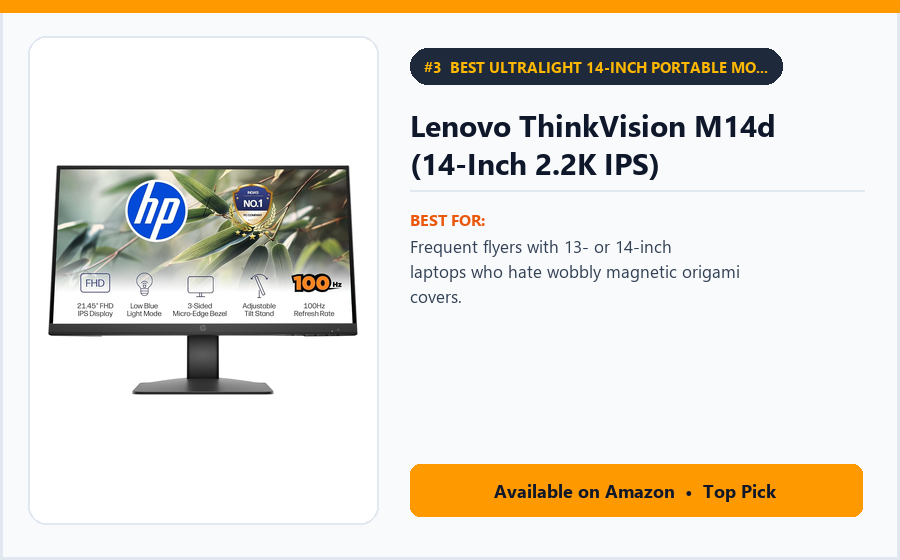
Best for: Frequent flyers with 13- or 14-inch laptops who hate wobbly magnetic origami covers.
The biggest engineering flaw on most portable monitors is the flimsy magnetic folio cover that doubles as a stand—one tap on the table and the screen slides flat.
Lenovo’s ThinkVision M14d eliminates the folio cover altogether by putting ports and a stiff friction hinge into a fold-out L-shaped base that tilts from -5 to +90 degrees.
Key Features
The M14d packs a crisp 14-inch 2240×1400 (16:10) IPS display with 100% sRGB color accuracy and 300-nit brightness into a 1.32-pound frame.
Each side of the base houses a full-function USB-C port capable of up to 65W power pass-through, plus a physical flip-down foot at the bottom for slight height elevation.
A soft protective slip sleeve is included for packing into your briefcase.
Why It’s Worth Considering
When set beside a 14-inch ThinkPad or MacBook Pro on a cramped airplane tray table or small café table, the M14d takes up almost zero rear depth compared with A-frame kickstands.
You can plug your laptop charger into the monitor base, and a single short USB-C cable powers both the monitor and your laptop.
The trade-off is screen size and price: you are paying a corporate business premium for a 14-inch screen rather than a larger 16-inch panel.
✓ Pros
- Brilliant L-shaped hinge base offers infinite tilt angles and tiny footprint.
- Sharp 2240×1400 (16:10) resolution matches 14-inch laptops.
- Reversible left/right USB-C ports with 65W power pass-through.
- Weighs just 1.32 pounds.
- Matte anti-glare surface with physical brightness buttons.
✗ Cons
- Higher price per square inch than consumer monitors.
- 14-inch screen is smaller than 15.6″ or 16″ rivals.
- Does not rotate safely into vertical portrait mode on its base.
- No HDMI input or internal speakers.
Our Verdict
The Lenovo ThinkVision M14d is the best portable monitor for road warriors who work on tight tray tables and want a built-in hinge stand that never wobbles.
If you want a larger 16-inch canvas and don’t mind a folio stand, choose the LG Gram +View.
4. ViewSonic ColorPro VP16-OLED 15.6-Inch Portable Monitor – Best OLED Portable Monitor for Photo, Video & Design

Best for: Photographers, video editors, and designers who need true blacks and factory-calibrated color on location.
Standard IPS portable monitors struggle with low contrast ratios and backlight bleed in dark rooms. The ViewSonic ColorPro VP16-OLED upgrades to a genuine OLED panel with per-pixel illumination and infinite contrast.
Even more impressive is its built-in folding aluminum stand, which not only tilts at any angle but actually raises the entire screen several inches off the desk.
Key Features
The 15.6-inch OLED panel covers 100% of the DCI-P3 color gamut, ships with a factory calibration report (Delta E < 2), and reaches 400 nits of brightness.
Connectivity includes two USB-C ports (with two-way 40W power delivery), a Micro-HDMI port, a 3.5mm headphone jack, and dual 1W speakers.
It also comes with a detachable magnetic shading hood that doubles as a screen cover.
Why It’s Worth Considering
For photographers tethering a camera on a shoot or video editors grading footage in a hotel room, the OLED contrast and included shading hood make a night-and-day difference.
The height-adjustable metal kickstand lets you position the monitor higher to help reduce neck strain.
Be mindful that static taskbars left on high brightness for hours can risk OLED image retention over time, and the panel resolution is 1080p rather than 4K.
✓ Pros
- True OLED panel with infinite contrast and 100% DCI-P3 color.
- Pantone-Validated factory calibration with included shading hood.
- Built-in metal stand adjusts both tilt and vertical height.
- Includes two USB-C ports plus Micro-HDMI and audio out.
- Bright 400-nit output punches through ambient room light.
✗ Cons
- 1080p resolution rather than 2.5K or 4K.
- Requires standard OLED precautions against static taskbar burn-in.
- Slightly heavier (2.2 lbs) due to the sturdy metal height stand.
- Premium creative price tier.
Our Verdict
The ViewSonic ColorPro VP16-OLED is the top pick for creative professionals who care about color accuracy, deep blacks, and an elevated ergonomic stand.
Set your operating system taskbar to auto-hide on the second screen to keep the OLED panel pristine for years.
5. Arzopa Z1FC 16.1-Inch 144Hz Portable Monitor – Best Budget Portable Monitor with Built-In Kickstand & 144Hz
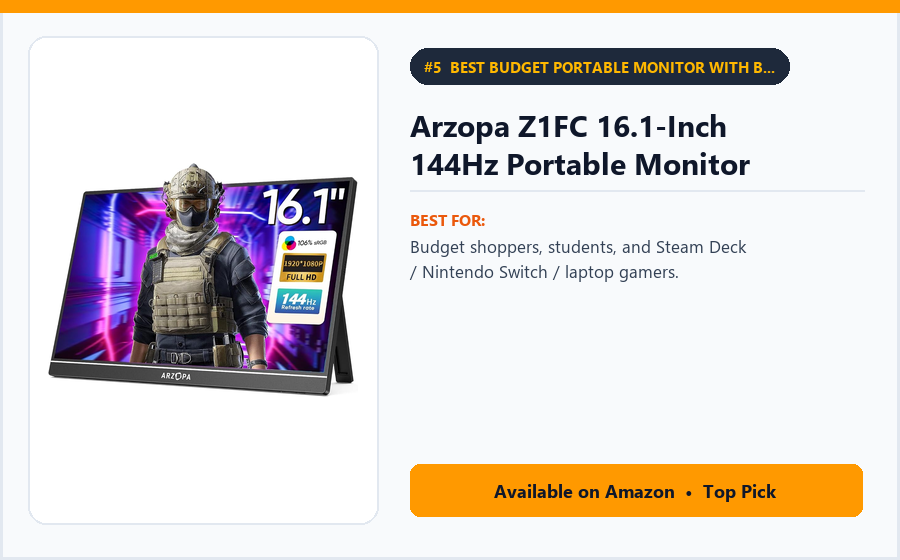
Best for: Budget shoppers, students, and Steam Deck / Nintendo Switch / laptop gamers.
You don’t have to spend ₹25,000 to get a second screen with a built-in metal kickstand. The Arzopa Z1FC has become a runaway favorite on Amazon by pairing a 16.1-inch IPS panel with a smooth 144Hz refresh rate for well under ₹10,999.
Instead of relying on a floppy magnetic cover, an integrated rear kickstand folds out to prop the display in either landscape or vertical portrait mode.
Key Features
The Z1FC features a 16.1-inch 1920×1080 anti-glare IPS panel, a 144Hz refresh rate, two full-featured USB-C ports, and a Mini-HDMI port.
It weighs roughly 1.7 pounds and ships with a padded zippered carrying sleeve plus USB-C and Mini-HDMI cables.
Built-in dual speakers provide basic audio for casual video or console sessions.
Why It’s Worth Considering
Even if you never play games, the 144Hz refresh rate makes mouse cursor movement and window scrolling feel noticeably smoother than standard 60Hz office panels.
Having both USB-C and Mini-HDMI inputs means you can use it for Excel spreadsheets all day and then plug in a Steam Deck, ROG Ally, or Nintendo Switch at night.
At this budget price, peak brightness (~300 nits) and built-in speaker tininess are modest, and running at full 144Hz brightness may require plugging supplemental power into the second USB-C port on older laptops.
✓ Pros
- Outstanding value under ₹10,999 with a built-in metal kickstand.
- Smooth 144Hz refresh rate for fluid scrolling and portable gaming.
- Supports both landscape and vertical portrait orientations.
- Includes two USB-C ports and a Mini-HDMI input.
- Ships with a zippered protective sleeve and all required cables.
✗ Cons
- 1080p resolution stretched across 16.1 inches has moderate pixel density.
- Built-in speakers sound thin and quiet.
- High brightness + 144Hz can require external USB-C power on weak laptop ports.
- Menu rocker wheel on the side feels basic.
Our Verdict
The Arzopa Z1FC 16.1″ is the undisputed budget champion, giving you a real built-in kickstand, 144Hz smoothness, and HDMI + USB-C versatility on a tight budget.
It is a fantastic dual-purpose monitor for both daytime remote work and evening handheld console gaming.
6. ViewSonic VX1655-4K-OLED 15.6-Inch 4K Portable Monitor – Best 4K OLED Portable Monitor for Maximum Text & Image Clarity

Best for: MacBook Pro and high-end Windows users who demand Retina-level 4K text sharpness and OLED contrast.
If you work on a 4K desktop monitor or MacBook Retina display, stepping down to a 1080p portable screen makes fonts look fuzzy. The ViewSonic VX1655-4K-OLED delivers a full 3840×2160 Ultra HD resolution on a 15.6-inch OLED panel.
At over 280 pixels per inch, text, code, and high-resolution timelines look every bit as crisp as your primary laptop screen.
Key Features
The monitor houses a 4K OLED panel with 100% DCI-P3 coverage, true 10-bit color depth, and an integrated fold-out aluminum kickstand housing all ports.
It includes two USB-C ports (supporting up to 60W two-way power pass-through), a Mini-HDMI port, and a 3.5mm audio jack in a 0.6-inch profile weighing 1.5 pounds.
Because the kickstand folds flush into the bottom housing, there is no heavy external base to carry.
Why It’s Worth Considering
Combining 4K resolution with OLED contrast makes this one of the most visually stunning portable displays on the market.
Plugging all cables into the hinge base keeps cords low on the desk instead of dangling midway up the side bezel.
Be aware that driving 8.3 million OLED pixels takes more power than a 1080p IPS screen—for full brightness, you’ll want your wall charger plugged into the monitor’s pass-through USB-C port.
✓ Pros
- Razor-sharp 4K UHD (3840×2160) resolution with OLED contrast.
- Integrated aluminum kickstand houses ports neatly at desk level.
- Supports 60W USB-C pass-through charging and Mini-HDMI.
- Featherweight 1.5-pound chassis.
- 100% DCI-P3 color gamut for creative workflows.
✗ Cons
- High premium price point.
- Requires external USB-C power for peak brightness levels.
- Glossy OLED screen finish can reflect bright lights behind you.
- Higher laptop battery draw when running unplugged.
Our Verdict
The ViewSonic VX1655-4K-OLED is the ultimate no-compromise portable display if you want true 4K sharpness and OLED color in a 1.5-pound package.
Use it plugged into your laptop’s USB-C wall adapter via pass-through to unlock full brightness.
7. InnoView 18.5-Inch 1080p 100Hz Large Portable Monitor – Best Extra-Large 18.5-Inch Transportable Monitor

Best for: RV travelers, digital nomads staying in Airbnbs for weeks, and finance pros wanting desktop-sized space.
Sometimes a 14- or 15.6-inch screen still feels too small when you are settling into a vacation rental or extended hotel stay for a month.
The InnoView 18.5-Inch Portable Monitor bridges the gap between a backpack screen and a desktop monitor, giving you nearly 35% more surface area than a 15.6-inch panel while still folding flat into a suitcase.
Key Features
The monitor features an 18.5-inch Full HD (1920×1080) IPS anti-glare panel with a 100Hz refresh rate and 100% sRGB color coverage.
A wide U-shaped 180-degree adjustable kickstand is built into the back, alongside four standard 75x75mm VESA mounting holes for attaching to a desk arm.
It includes two USB-C ports, a Mini-HDMI port, and a wall power adapter in the box.
Why It’s Worth Considering
Side-by-side split windows (such as two full browser windows on the secondary screen) are genuinely comfortable to read on an 18.5-inch diagonal without squinting.
The VESA mount holes also allow it to double as a permanent vertical secondary monitor on a home desk arm when you aren’t traveling.
Naturally, an 18.5-inch footprint will not fit inside a standard 15-inch laptop backpack sleeve—it belongs in a carry-on suitcase or large 18-inch travel pack and weighs about 3.5 pounds.
✓ Pros
- Generous 18.5-inch screen makes split-window multitasking comfortable.
- Sturdy 180-degree built-in kickstand requires no separate cover.
- Includes 75x75mm VESA holes for desk-arm mounting at home.
- Smooth 100Hz refresh rate with USB-C and Mini-HDMI ports.
- Includes wall power adapter in the box.
✗ Cons
- Too large for standard 14″ or 15″ laptop backpack sleeves.
- Weighs ~3.5 lbs (twice as heavy as a 14-inch travel monitor).
- 1080p resolution at 18.5 inches has lower pixel density than 2.5K panels.
- Best used with wall power for full brightness.
Our Verdict
The InnoView 18.5″ Portable Monitor is the best choice for semi-stationary setups—like month-long Airbnb stays, RV desks, or dining-table workstations—where desktop screen size matters more than ultralight backpack carry.
Measure your bag first if you plan to carry it outside a rolling carry-on.
How to Choose the Best Portable Monitors for Laptops in 2026
Before buying a portable monitor, take two minutes to verify your laptop’s ports and how you actually plan to set up your mobile desk.
Here are the six most important factors to check in 2026.
1. Confirm Your Laptop Supports USB-C DisplayPort Alt Mode
To run a portable monitor with a single USB-C cable (carrying both power and video), your laptop’s USB-C or Thunderbolt port must support DisplayPort Alt Mode.
Almost all modern MacBooks, Windows ultrabooks, and Chromebooks support this. If your older laptop has a data-only USB-C port, you will need a monitor with a Mini-HDMI port plus a USB cable for power.
2. Choose Between a Built-In Kickstand and a Folio Cover
Built-in metal kickstands (like on the Lenovo M14d, ViewSonic OLED, and Arzopa Z1FC) let you tilt the screen to any angle and take up very little desk depth.
Magnetic folio covers protect the screen glass inside your backpack, but usually lock you into only two fixed viewing angles.
3. Pick 16:10 Aspect Ratio for Work, 16:9 for Video & Gaming
A 16:10 display (such as 2560×1600 on the LG Gram +View or 2240×1400 on the Lenovo M14d) gives you 11% more vertical height for spreadsheets, documents, and code.
A 16:9 display (1920×1080 or 3840×2160) avoids black bars when watching fullscreen video or connecting a gaming console.
4. Check Brightness (Nits) and Screen Finish
Look for at least 300 to 400 nits of brightness if you work near windows or in bright coworking spaces. A 220-nit budget screen will look washed out in daylight.
Matte anti-glare IPS panels diffuse overhead office lights best, while OLED panels offer richer contrast for dark-room creative work.
5. Look for USB-C Pass-Through Charging
If your laptop only has one or two USB-C ports, choose a monitor with dual USB-C ports and Power Delivery (PD) pass-through.
That way, you plug your wall charger into the monitor, and a single USB-C cable both powers your laptop and sends video back to the monitor.
6. Consider Weight and Backpack Fit
A 14- to 16-inch monitor weighing 1.3 to 1.7 pounds slides easily into a standard laptop compartment. Anything 17.3 inches or larger will require a dedicated large backpack or rolling carry-on.
16:10 IPS Productivity Monitor vs. OLED Creative Monitor vs. High-Refresh Budget Monitor: Which Is Better?
Each panel type serves a distinct travel and remote-work priority.
| Feature | 16:10 IPS Productivity | OLED Creative Monitor | 144Hz Budget IPS |
|---|---|---|---|
| Top examples | LG Gram +View 16″, Lenovo M14d | ViewSonic VP16-OLED, VX1655-4K | Arzopa Z1FC 16.1″ |
| Screen finish | Matte anti-glare | Glossy or semi-gloss OLED | Matte anti-glare |
| Contrast & black levels | Standard IPS (~1000:1) | Infinite true black | Standard IPS (~1000:1) |
| Reflection handling | Excellent under office lights | Moderate (benefits from hood) | Very good |
| Laptop battery drain | Low to moderate | Moderate to high (especially 4K) | Low at 60Hz, moderate at 144Hz |
| Best for | Spreadsheets, writing, coding, flights | Photo/video editing and movies | Everyday budget work + console gaming |
Which One Should You Buy First?
If your day revolves around spreadsheets, Slack, browsers, and PDFs under bright office or café lights, choose a matte 16:10 IPS monitor like the LG Gram +View 16″ or Lenovo ThinkVision M14d.
If you edit photos, grade video, or watch movies in hotel rooms, choose the ViewSonic VP16-OLED or VX1655-4K-OLED.
If you want a reliable built-in kickstand for both work and gaming under ₹10,900 pick the Arzopa Z1FC.
Are Expensive Portable Monitors Worth Buying?
Portable monitors range from ₹8,000 budget panels to ₹37,999+ 4K OLED screens. Where does the extra money actually go?
In the ₹8,000–₹10,999 tier (like the Arzopa Z1FC or ASUS ZenScreen), you get a functional 1080p IPS panel that immediately doubles your workspace—which is all many occasional travelers need.
Stepping up to the ₹18,499–₹29,999 tier (like the LG Gram +View, Lenovo M14d, or ViewSonic OLED) gets you dramatically sharper 2.2K/2.5K/4K text clarity, lighter magnesium or aluminum bodies, brighter 350–400 nit backlights, and sturdier ergonomic stands.
If you work remotely from a second screen for 6+ hours a day, sharper text resolution and higher brightness noticeably reduce eye strain.
Instead of focusing entirely on the initial purchase price, ask three questions:
- How many hours per week will I stare at text and spreadsheets on this screen?
- Does my laptop have USB-C DisplayPort Alt Mode, or do I need HDMI?
- Will I carry this in a compact 14-inch backpack or a larger 16-inch travel bag?
If you can answer these questions clearly, you’re more likely to make a purchase you’ll appreciate over the long term.
Frequently Asked Questions About Portable Monitors for Laptops
What is the best portable monitor for laptops in 2026?
The LG Gram +View 16″ (16MR70) is our best overall recommendation because its sharp 2560×1600 (16:10) matte display, dual-side USB-C ports, and 1.48-pound weight are ideal for laptop productivity.
Do portable monitors work with both MacBooks and Windows laptops?
Yes. USB-C portable monitors act as standard external displays on macOS, Windows, ChromeOS, and even USB-C iPads with zero drivers required for basic extended-desktop use.
Why does my portable monitor say ‘No Signal’ or flicker when plugged in?
Flickering or ‘No Signal’ errors usually happen for two reasons: either you are using a charge-only USB-C cable instead of the thick video-rated USB-C cable included in the box, or your laptop port isn’t supplying enough wattage for 100% brightness (plugging wall power into the monitor fixes this).
Can a portable monitor charge my laptop while connected?
Yes, if the monitor supports USB-C Power Delivery pass-through (like the Lenovo M14d, LG Gram +View, and ViewSonic OLED). Plug your laptop wall adapter into the monitor’s power port, and power flows through to your laptop.
Can I use a portable monitor vertically in portrait mode?
Yes. You can rotate the display to Portrait orientation in Windows Display Settings or macOS System Settings—just make sure the monitor’s kickstand or tripod mount supports standing vertically.
How do I protect a portable monitor inside a crowded backpack?
Always attach the magnetic folio cover facing the glass or slide the monitor into a padded neoprene sleeve, and pack it flat against the rigid back panel of your backpack rather than next to lumpy chargers.
Can I connect a Nintendo Switch or Steam Deck to a portable monitor?
Yes. Steam Deck and ROG Ally connect directly over a single USB-C cable (provided the monitor has external power or low draw), while Nintendo Switch connects via dock/HDMI or supported USB-C power.
Is 1080p or 2.5K/4K better for a portable monitor?
1080p uses less laptop battery power and costs less, making it great for casual multitasking. 2.2K, 2.5K (2560×1600), or 4K makes small spreadsheet numbers and code look much sharper.
Final Verdict: Which Portable Monitor Should You Buy in 2026?
Adding a portable monitor is one of the fastest ways to boost your productivity away from your home office.
For overall workspace clarity and ultralight 16:10 productivity, the LG Gram +View 16″ is our #1 choice.
For compact 14-inch travel with an unbeatable built-in hinge base, choose the Lenovo ThinkVision M14d.
For everyday indoor office reliability, the ASUS ZenScreen 16″ is a proven staple, while the Arzopa Z1FC 16.1″ 144Hz wins best budget and gaming value under ₹10,999.
Finally, creative pros and Retina purists will love the ViewSonic ColorPro VP16-OLED and VX1655-4K-OLED, while long-stay nomads can spread out on the InnoView 18.5″ Large Portable Monitor.
Our final advice: Always keep the thick video-rated USB-C cable that came with your monitor inside its sleeve—regular thin phone charging cables cannot carry video signals.
With the right second screen in your bag, any table can become a comfortable dual-monitor workstation in thirty seconds.
Explore the Best Portable Monitors for Laptops on Amazon India →
Disclaimer: Product specifications, availability, and features may vary by model, configuration, and region. Confirm all details with the manufacturer and retailer before purchasing.